

SVS Auto EQ Hands-On: Built-In Subwoofer Calibration
SVS Auto EQ has landed, and it changes how you dial in an SVS subwoofer. This promised feature now lives right inside the SVS Subwoofer Control App, which means precision room calibration without a measurement rig, REW, or a single parametric filter typed in by hand. I run five SB17-Ultra R|Evolution subs in my dedicated theater, so the moment the update dropped I fired up the app and ran it live, completely blind, to see exactly what it does.
📺 Watch the full process on YouTube: SVS Subwoofer Auto EQ Complete Walkthrough
What SVS Auto EQ Actually Does
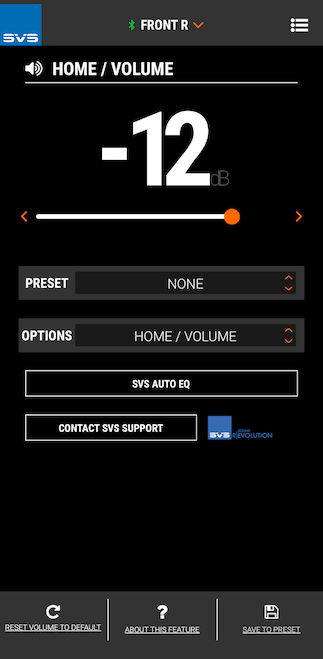
Auto EQ is automated room correction built directly into the subwoofer. It measures test tones through a microphone, analyzes how the sub behaves in your specific room, and then re-tunes the subwoofer's frequency response to clean up the mess your room introduces. The smart part is that it doesn't fight your room gain. It works to tame the problematic peaks and dips caused by room modes while keeping the low-end extension that the room gives you for free. You get tighter, deeper, more even bass with zero manual guesswork.
This is rolling out across the new SVS R|Evolution lineup: the flagship 17-Ultra R|Evolution series (that's my SB17-Ultra and the PB17-Ultra), the 5000 R|Evolution Series, and the recently refreshed 3000 R|Evolution. If you're on one of those platforms, this feature is available for you.
What You Need Before You Start
Two things. First, your subs need to be on the right firmware. The version that unlocks Auto EQ is 5.0.15. You must update before running it. Second, you need the SVS Subwoofer Control App on your phone or tablet. I run iPhones and iPads here, and the iPhone version of the app works perfectly on an iPad if you don't want to use your phone. I ran this whole session on my iPad Pro.
Updating Your Subs (One at a Time)
Open the app, connect to a sub, head into System Settings, and scroll to "About the Subwoofer" to check your firmware. If an update is waiting, you'll see it right there. The update process is simple: you physically set your phone or tablet on top of the subwoofer, toward the back, and let it run. It takes a minute or two to download and apply, then the sub restarts and comes back with every setting and custom name fully preserved.
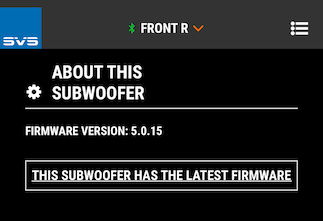
Here's the catch if you run multiple subs like I do: there's no "update all" command. The app wants your device sitting directly on each unit, so you update them one by one by one. I rename all five of mine by position to keep them straight.
Running Auto EQ Step by Step
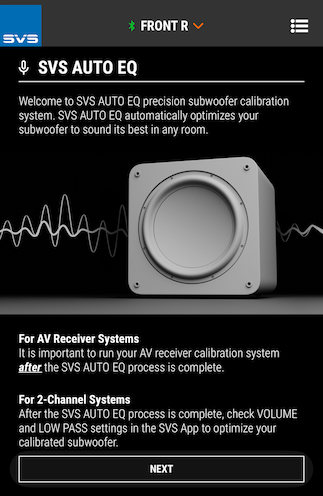
Once you're updated, the new SVS Auto EQ option appears in the app. The intro screen lays out the ground rules, and the pre-measurement advice is exactly what you'd follow for any calibration run: kill the background noise. Turn off HVAC, fans, and anything else making sound. A quiet room gives you clean measurements.
Phone Mic vs. the SVS Auto EQ Microphone
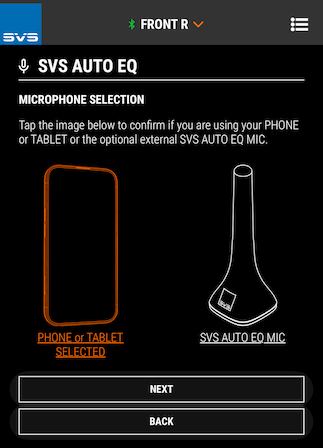
The app gives you a choice: use the internal mic on your phone or tablet, or use the optional external SVS Auto EQ mic. The external mic runs $45.00 and ships with a wired connection plus adapters for both USB-C and Lightning. It delivers higher fidelity than a built-in device mic, and if you're taking this seriously in a real system, it's the way to go. I ran this first pass on the device mic to keep things simple, but I'm ordering the mic to lock in the extra precision.
Calibrating the Device First
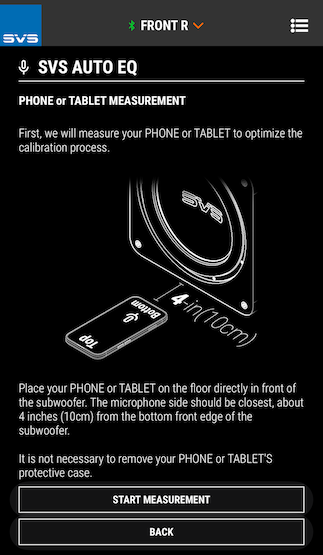
Before it measures the room, Auto EQ measures your phone or tablet so it knows the character of the mic it's working with. You place the device flat on the floor in front of the sub, microphone side closest, about four inches from the bottom front edge. You can leave your case on.
Multi-Seat Measurements: The Real Headline
This is the part that sold me. Auto EQ requires only one listening-position measurement, but it supports up to eight. For each seat you elevate the device to ear level on the headrest or pillows, aim the mic directly at the subwoofer, and run the tone sweep.
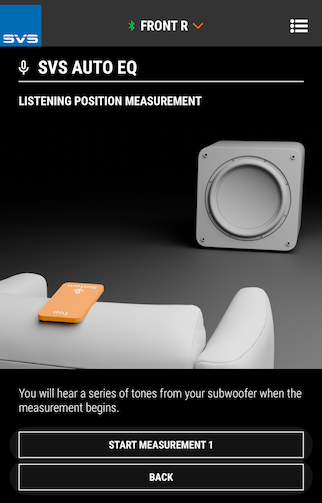
The single biggest limitation of hand-tuned parametric EQ is that it optimizes one spot, which biases everything toward the main seat. My theater has five seats across, I've got a family of four, and there's almost always a crowd in here for movie night. I don't only care about the center chair. Being able to average across all five positions is exactly what a real multi-seat room needs, and it's why my whole Trinnov calibration is already built around five chairs. I measured all five for Auto EQ, then finished.
Reading the Results
The moment it finishes, Auto EQ shows you the before-and-after response curves, measured from 10 Hz all the way up to around 300 Hz. My uncorrected curve was interesting: it hit a -6 dB point down at 10 Hz, carried some real peaks in the low end, and then dipped through the midbass rather than holding flat up top.
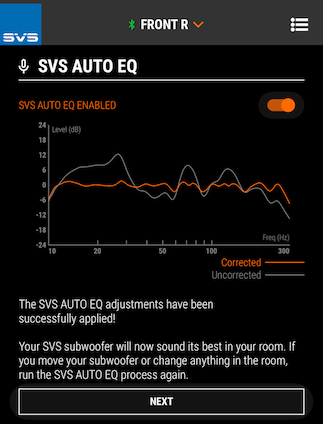
What grabbed my attention is that Auto EQ knocked down exactly the kind of peak I'd perhaps otherwise spend time fixing with a manual PEQ. That's the value. It hands you a flatter, better-behaved starting point natively, before any system-wide correction touches it. One note: once Auto EQ runs, your parametric EQs get disabled so you're not stacking filters on top of each other.
Auto EQ Plus Trinnov: How I'm Thinking About Layering
SVS recommends running Auto EQ first, then running your AVR or processor calibration on top. The logic is solid: get each subwoofer performing as well as it naturally can in the room first, which lifts load off the system-wide correction and gives it a stronger target to work from.
In my room, the system-wide layer is Trinnov, with full waveforming in play. So the decision in front of me is real: do I let Auto EQ flatten each sub natively and feed that cleaner baseline into Trinnov, or do I let Trinnov's engine handle everything end to end? The argument for using Auto EQ is plausible, because if the subs nullify certain issues on their own, Trinnov isn't burning correction fighting it. On the other hand, SVS Auto EQ likely helps some calibration systems, like Audyssey or ARC Gensis, more than it would others, like the Trinnov Optimizer, which is far more capable.
Key Takeaways
SVS Auto EQ is live on the 17-Ultra R|Evolution, 5000 R|Evolution Series, and 3000 R|Evolution subwoofers, built right into the SVS Subwoofer Control App.
You need firmware 5.0.15 or later and the app on your phone or tablet. Updates run one sub at a time with the device sitting on the unit.
It measures from 10 Hz to ~300 Hz, tames room-mode peaks, and preserves room gain for deeper, cleaner bass.
Multi-seat support up to eight positions is the standout feature for real-world rooms with more than one chair.
Run Auto EQ first, then your AVR or processor EQ on top. Parametric EQ is disabled during Auto EQ.
The optional external mic raises measurement precision over a phone mic and is worth it for a serious system.
Have You Tried SVS Auto EQ Yet?
If you've got one of the new SVS subs that can run this, I want to hear about it. Are you using it? Have you already run it? How did the curves look in your room? Drop a comment on the YouTube video and let's compare notes.
Let's Talk Home Theater
If you're considering an SVS upgrade — or anything else in your home theater journey — I'd love to help. I carry the full lineup: Kaleidescape, madVR, JVC, Sony, Epson, Seymour, SVS, Perlisten, Focal, Trinnov, Denon, Marantz, and more. Speakers, projectors, screens, processors, amps, media servers — the whole stack. Get in touch today!